

Call the parse endpoint
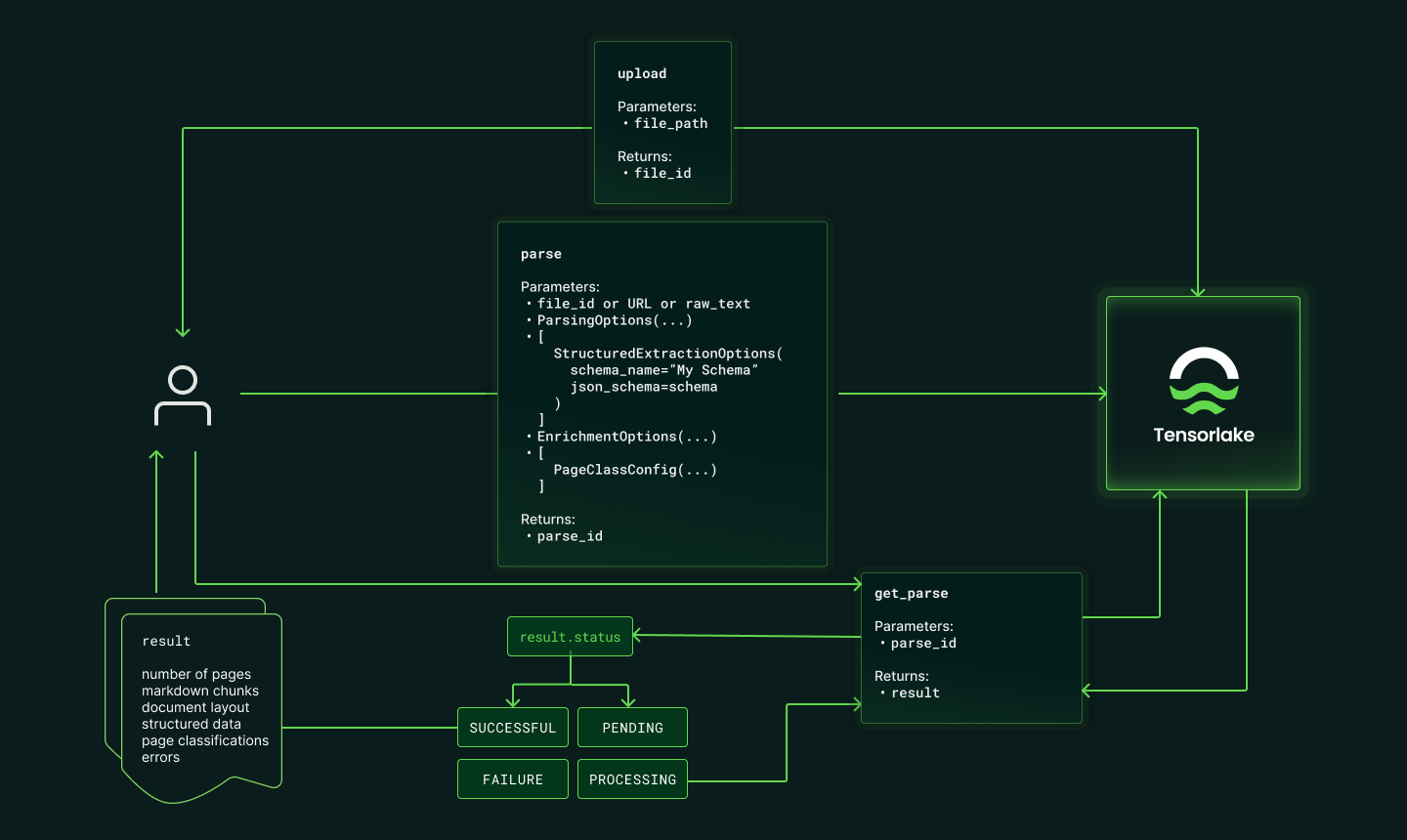
The parse endpoint will create a parse job with the following request payload:
- A file source, which can be:
- A
file_idreturned from uploading a file to Tensorlake Cloud. - A
file_urlthat points to a publicly accessible file.
- A
- Options for parsing. See the parse settings below.
page_range: The range of pages to parse, ex:1-2or1,3,5. By default, all pages will be parsed.labels: Metadata to identify the parse request. The labels are returned along with the parse response.
parse_id: The unique ID Tensorlake uses to reference the specific parsing job. This ID can be used to get the output when the parsing job is completed and re-visit previously used settings.
Query the status of the parsing job
The
/parse/{parse_id} endpoint will return:status: The status of the parsing job. This can befailure,pending,processing, orsuccessful.- If the parsing job is
pendingorprocessing, you should wait a few seconds and then check again by re-calling the endpoint.
Retrieve the parsed result
When the parsing job is
successful, you can retrieve the parsed result by calling the /parse/{parse_id} endpoint.
The response payload will include an Response object:chunks: An array of objects that contain a chunk number (specified by the chunk strategy) and the markdown content for that chunk.pages: A JSON representation of each page’s visual structure, including page dimensions, bounding boxes for each element (text, tables, figures, signatures), and the reading order.labels: Labels associated with the parse job.
Files
File Management endpoints to upload, list, and delete files.
Parse
Parse endpoints to parse uploaded Documents or any remote file.