> ## Documentation Index
> Fetch the complete documentation index at: https://docs.tensorlake.ai/llms.txt
> Use this file to discover all available pages before exploring further.

# Configure Webhooks

> Create and manage a project webhook destination, HTTPS endpoint, event subscriptions, and delivery status.

## Prerequisites

Before creating a webhook, you need:

* a Tensorlake Cloud organization and project;
* organization administrator or project administrator access; and
* a public HTTPS endpoint that accepts `POST` requests.

## Create a destination

<Steps>
  <Step title="Open Webhooks">
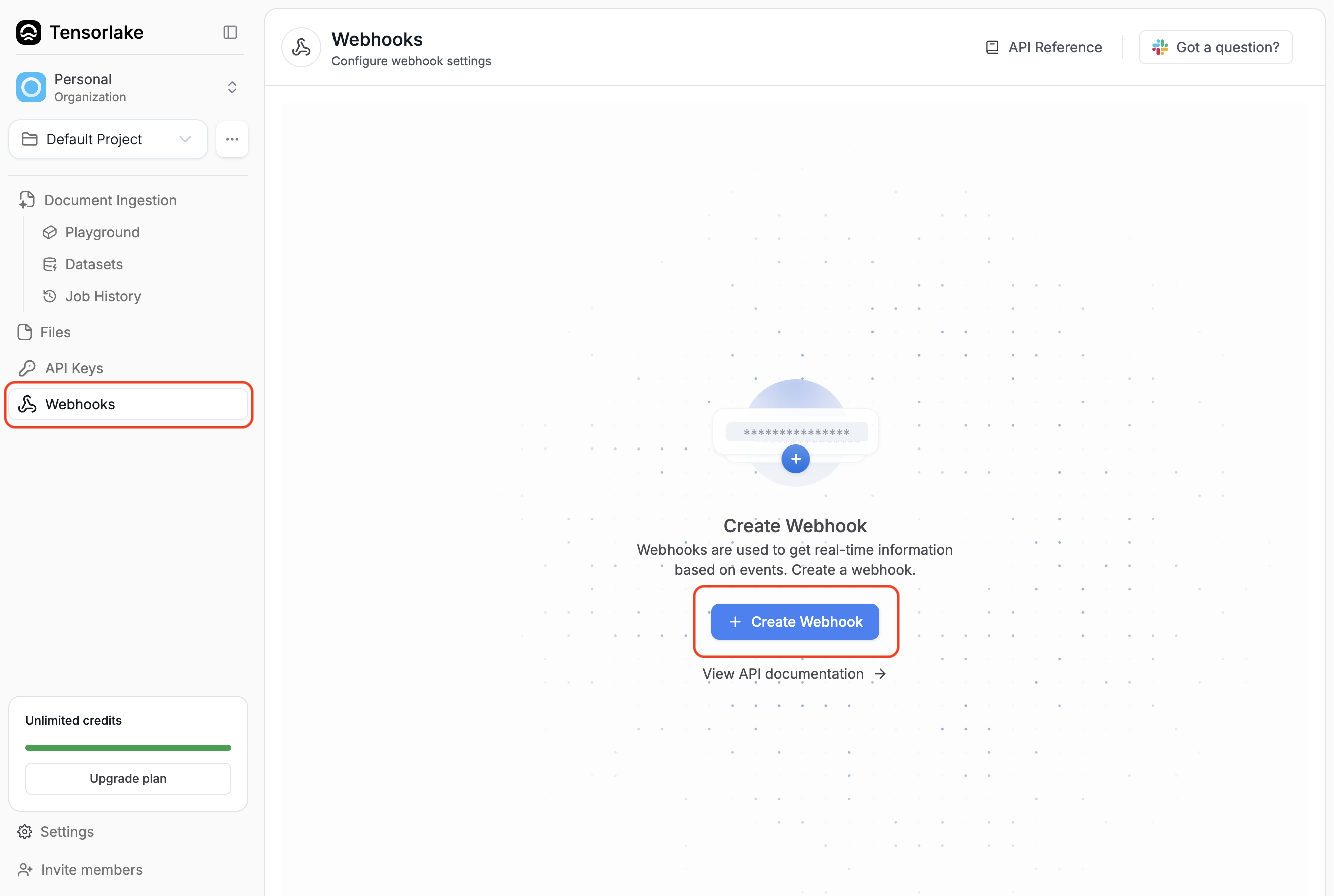
    In [Tensorlake Cloud](https://cloud.tensorlake.ai), select the project that
    produces the events, then select **Webhooks**.
  </Step>

  <Step title="Enter the destination">
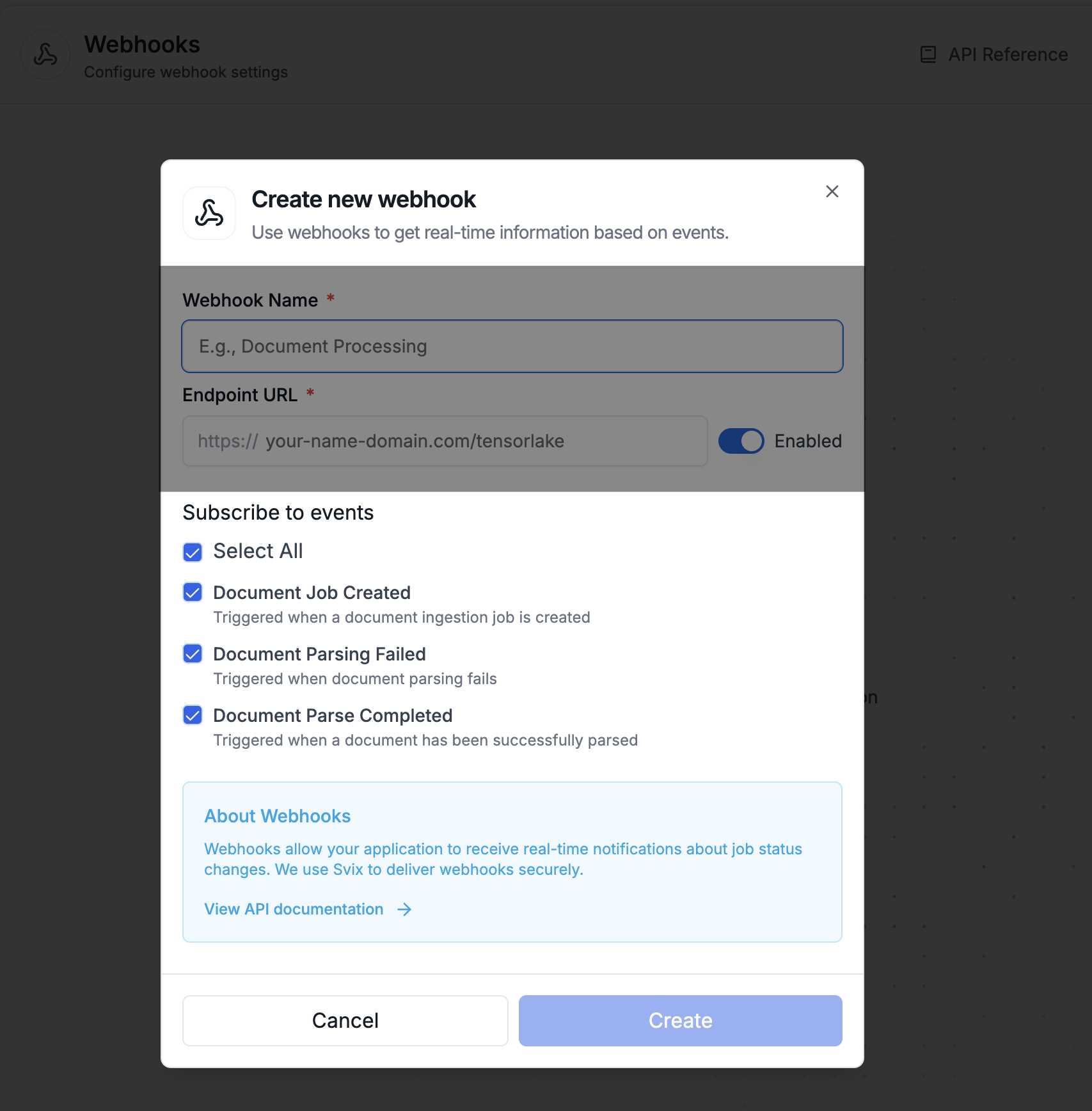
    Select **Create webhook** and provide:

    * **Webhook name**: a name that identifies the receiver or environment.
    * **Endpoint URL**: an absolute HTTPS URL without embedded credentials.
  </Step>

  <Step title="Select events">
    Select one or more sandbox, application, or application-request lifecycle
    events. The destination receives only the selected event types from this
    project.
  </Step>

  <Step title="Create the webhook">
    Select **Create webhook**, then open the new destination to copy its signing
    secret and send a test event.
  </Step>
</Steps>

<Note>
  Treat the signing secret like a password. Store it in your secret manager and
  never commit it to source control or log it.
</Note>

## Edit or pause delivery

Open a destination and select **Edit webhook** to change its name, endpoint URL,
subscribed events, or delivery status.

Turn off **Delivery enabled** to pause attempts to that destination without
deleting its configuration. Re-enable delivery when the receiver is ready.

## Delete a destination

Delete a destination when it should no longer receive events. Deleting a
webhook removes that endpoint configuration.