> ## Documentation Index
> Fetch the complete documentation index at: https://docs.tensorlake.ai/llms.txt
> Use this file to discover all available pages before exploring further.
# Git Repositories
> Hosted Git repositories built for agents — clone, push, merge, and mount them as live directories without full clones.
We built a disaggregated Git infrastructure to scale to tens of millions of repositories and absorb hundreds of thousands of pushes per second,
by re-engineering how Git's metadata, ingestion, and storage work. Merges run server-side and cost is proportional to
changed paths, not repository size.
These are some use cases for Tensorlake repositories:
* Store code and assets produced by coding agents, one repository per generated project
* Give agents a durable Git history with branches, merges, and activity attribution
* Create repositories at product scale from your control plane with the SDKs
* Mount a repository as a live directory in a sandbox, without cloning it first
* Track durable workspace checkpoints, snapshots, branch activity, and mount liveness from the control plane
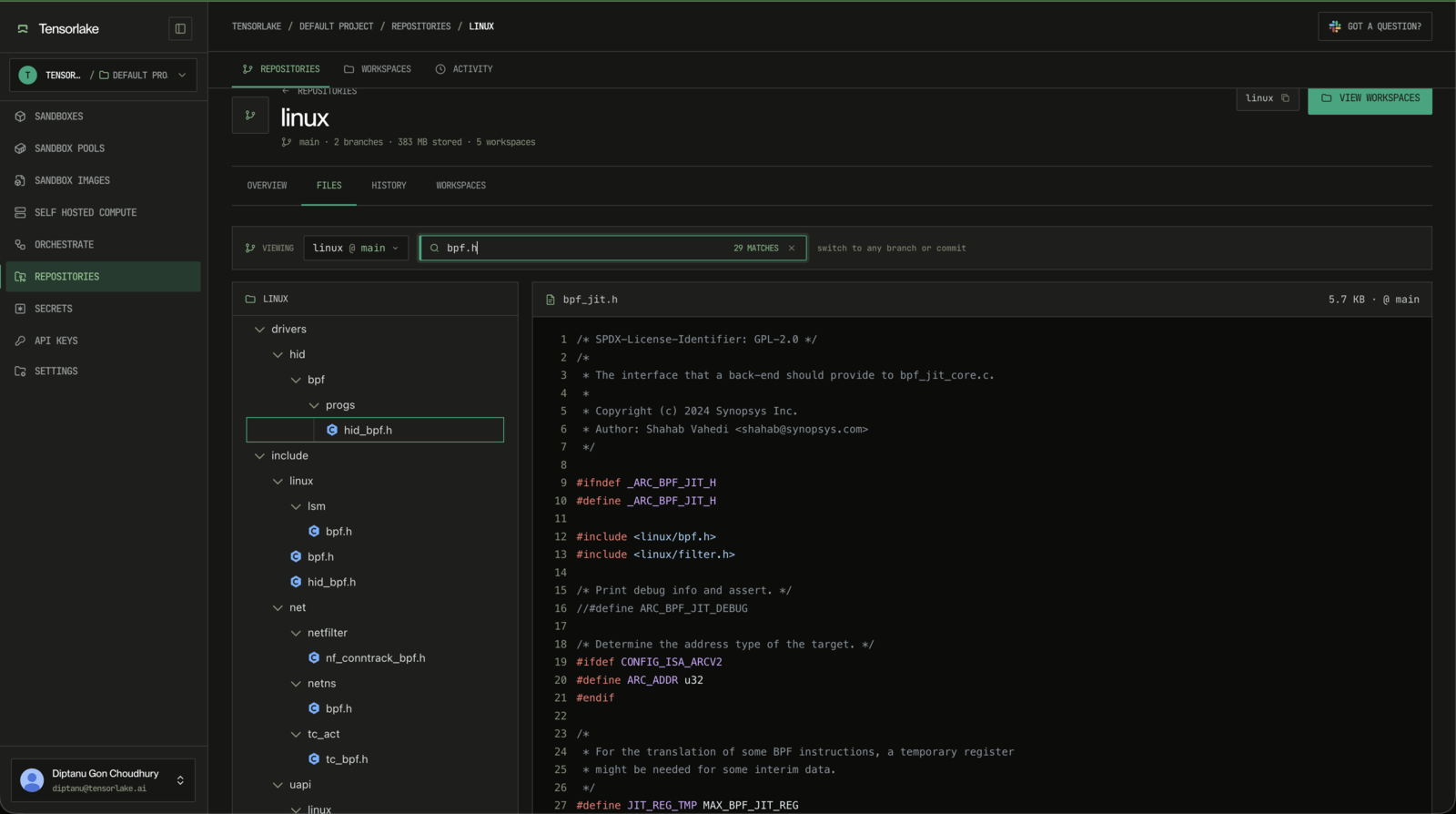 ## Quickstart
Install the Tensorlake CLI and sign in:
```bash theme={null}
curl -fsSL https://tensorlake.ai/install | sh
tl login
```
Then create a repository, commit files to `main`, and verify the history with Git.
```bash theme={null}
$ tl git create agent-outputs --default-branch main
created https://git.tensorlake.ai/project_9f3c2a1b/agent-outputs
```
```bash theme={null}
$ pip install tensorlake
$ export TENSORLAKE_API_KEY=tlk_...
```
```python theme={null}
from tensorlake import RepositoryClient
with RepositoryClient.from_env() as repos:
repo = repos.create("agent-outputs", default_branch="main")
print(repo.url)
```
```bash theme={null}
$ npm install tensorlake
$ export TENSORLAKE_API_KEY=tlk_...
```
```typescript theme={null}
import { RepositoryClient } from "tensorlake";
const repos = await RepositoryClient.fromEnv();
const repo = await repos.create("agent-outputs", {
defaultBranch: "main",
});
console.log(repo.url);
```
`agent-outputs` is an ordinary Git repository. Its default branch is `main`.
Use Git directly, or push a local worktree from your application.
Clone with a short-lived credential, then use Git as usual:
```bash theme={null}
$ TOKEN=$(tl git token --repo agent-outputs --json | jq -r .token)
$ git clone https://t:$TOKEN@git.tensorlake.ai/project_9f3c2a1b/agent-outputs
$ cd agent-outputs
```
First commit on a fresh machine? Git needs an identity: `git config user.name "Agent User"` and `git config user.email "agent@example.com"`.
```bash theme={null}
$ echo "# Agent Outputs" > README.md
$ git add README.md
$ git commit -m "initial app"
$ git push origin main
$ git log --oneline -1
4f8c2a1 initial app
```
```bash theme={null}
$ mkdir -p initial-app
$ echo "# Agent Outputs" > initial-app/README.md
```
```python theme={null}
from tensorlake import RepositoryClient
with RepositoryClient.from_env() as repos:
report = repos.push_worktree(
"agent-outputs",
root="./initial-app",
branch="main",
message="initial app",
)
print(report.commit)
```
```bash theme={null}
$ mkdir -p initial-app
$ echo "# Agent Outputs" > initial-app/README.md
```
```typescript theme={null}
import { RepositoryClient } from "tensorlake";
const repos = await RepositoryClient.fromEnv();
const report = await repos.pushWorktree("agent-outputs", {
path: "./initial-app",
branch: "main",
message: "initial app",
});
console.log(report.commit);
```
The repository now has a normal Git commit on `main`.
```bash theme={null}
$ tl git mount agent-outputs /work
Mounted writable agent-outputs at /work (workspace 3f9a2b7e1c4d activates on the first WAL checkpoint)
$ ls /work
README.md
```
So far, `agent-outputs` has behaved like a normal Git repository, and `git clone` would work here too. Mounting skips the clone — content streams in as it's read. A writable mount is the default; it creates its private server workspace lazily when the first autosave WAL checkpoint arrives. Add `--ro` for a stateless read-only view that follows the branch or pins a commit.
```bash theme={null}
$ printf "\n## Parser Notes\n" >> /work/README.md
$ tl git snapshot /work -m "add notes"
Snapshot 8b21f6a9c3d5e7f1a2b4c6d8e0f3a5b7c9d1e3f5 (1 file(s), 1 of 1 chunks uploaded)
$ tl git promote /work main
Promoted workspace 3f9a2b7e1c4d -> main at 1c4d9a2f7e5b3d8c6a4f2e0d9b7c5a3f1e8d6b4c (squashed)
$ git -C agent-outputs fetch origin main
$ git -C agent-outputs log --oneline -2 origin/main
1c4d9a2 add notes
4f8c2a1 initial app
```
Autosave already protects the mounted file state in the workspace's durable private WAL. Snapshotting materializes that state as a Git commit; the branch is unchanged until promotion. After promotion, `main` contains the change. New mounts, `git clone`, and `git fetch` all see the same files.
## Mental Model
The workflow is:
1. A **repository** stores the durable Git history.
2. A **mount** gives a sandbox an ephemeral directory backed by the repository, no clone required. A mount is writable by default; add `--ro` for a stateless read-only view of a branch, a pinned commit, or a subtree of a monorepo.
3. The shared **local journal** records writes crash-safely. Autosave publishes those writes to a durable private **workspace WAL** without creating a commit or moving a branch.
4. A **workspace** is created lazily on the first remote WAL checkpoint and holds an agent's isolated state.
5. A **snapshot** materializes the current WAL as a Git commit on the workspace.
6. **Promotion** publishes a workspace snapshot to a branch so future mounts and Git users can use that version. **Rebase** replays a workspace onto a moved branch, server-side.
7. The control plane can observe mount liveness and durable workspace operations. The unsealed local edit tail stays in the sandbox until autosave.
```mermaid theme={null}
graph LR
subgraph SB["Sandbox"]
M["Mount at /work
## Quickstart
Install the Tensorlake CLI and sign in:
```bash theme={null}
curl -fsSL https://tensorlake.ai/install | sh
tl login
```
Then create a repository, commit files to `main`, and verify the history with Git.
```bash theme={null}
$ tl git create agent-outputs --default-branch main
created https://git.tensorlake.ai/project_9f3c2a1b/agent-outputs
```
```bash theme={null}
$ pip install tensorlake
$ export TENSORLAKE_API_KEY=tlk_...
```
```python theme={null}
from tensorlake import RepositoryClient
with RepositoryClient.from_env() as repos:
repo = repos.create("agent-outputs", default_branch="main")
print(repo.url)
```
```bash theme={null}
$ npm install tensorlake
$ export TENSORLAKE_API_KEY=tlk_...
```
```typescript theme={null}
import { RepositoryClient } from "tensorlake";
const repos = await RepositoryClient.fromEnv();
const repo = await repos.create("agent-outputs", {
defaultBranch: "main",
});
console.log(repo.url);
```
`agent-outputs` is an ordinary Git repository. Its default branch is `main`.
Use Git directly, or push a local worktree from your application.
Clone with a short-lived credential, then use Git as usual:
```bash theme={null}
$ TOKEN=$(tl git token --repo agent-outputs --json | jq -r .token)
$ git clone https://t:$TOKEN@git.tensorlake.ai/project_9f3c2a1b/agent-outputs
$ cd agent-outputs
```
First commit on a fresh machine? Git needs an identity: `git config user.name "Agent User"` and `git config user.email "agent@example.com"`.
```bash theme={null}
$ echo "# Agent Outputs" > README.md
$ git add README.md
$ git commit -m "initial app"
$ git push origin main
$ git log --oneline -1
4f8c2a1 initial app
```
```bash theme={null}
$ mkdir -p initial-app
$ echo "# Agent Outputs" > initial-app/README.md
```
```python theme={null}
from tensorlake import RepositoryClient
with RepositoryClient.from_env() as repos:
report = repos.push_worktree(
"agent-outputs",
root="./initial-app",
branch="main",
message="initial app",
)
print(report.commit)
```
```bash theme={null}
$ mkdir -p initial-app
$ echo "# Agent Outputs" > initial-app/README.md
```
```typescript theme={null}
import { RepositoryClient } from "tensorlake";
const repos = await RepositoryClient.fromEnv();
const report = await repos.pushWorktree("agent-outputs", {
path: "./initial-app",
branch: "main",
message: "initial app",
});
console.log(report.commit);
```
The repository now has a normal Git commit on `main`.
```bash theme={null}
$ tl git mount agent-outputs /work
Mounted writable agent-outputs at /work (workspace 3f9a2b7e1c4d activates on the first WAL checkpoint)
$ ls /work
README.md
```
So far, `agent-outputs` has behaved like a normal Git repository, and `git clone` would work here too. Mounting skips the clone — content streams in as it's read. A writable mount is the default; it creates its private server workspace lazily when the first autosave WAL checkpoint arrives. Add `--ro` for a stateless read-only view that follows the branch or pins a commit.
```bash theme={null}
$ printf "\n## Parser Notes\n" >> /work/README.md
$ tl git snapshot /work -m "add notes"
Snapshot 8b21f6a9c3d5e7f1a2b4c6d8e0f3a5b7c9d1e3f5 (1 file(s), 1 of 1 chunks uploaded)
$ tl git promote /work main
Promoted workspace 3f9a2b7e1c4d -> main at 1c4d9a2f7e5b3d8c6a4f2e0d9b7c5a3f1e8d6b4c (squashed)
$ git -C agent-outputs fetch origin main
$ git -C agent-outputs log --oneline -2 origin/main
1c4d9a2 add notes
4f8c2a1 initial app
```
Autosave already protects the mounted file state in the workspace's durable private WAL. Snapshotting materializes that state as a Git commit; the branch is unchanged until promotion. After promotion, `main` contains the change. New mounts, `git clone`, and `git fetch` all see the same files.
## Mental Model
The workflow is:
1. A **repository** stores the durable Git history.
2. A **mount** gives a sandbox an ephemeral directory backed by the repository, no clone required. A mount is writable by default; add `--ro` for a stateless read-only view of a branch, a pinned commit, or a subtree of a monorepo.
3. The shared **local journal** records writes crash-safely. Autosave publishes those writes to a durable private **workspace WAL** without creating a commit or moving a branch.
4. A **workspace** is created lazily on the first remote WAL checkpoint and holds an agent's isolated state.
5. A **snapshot** materializes the current WAL as a Git commit on the workspace.
6. **Promotion** publishes a workspace snapshot to a branch so future mounts and Git users can use that version. **Rebase** replays a workspace onto a moved branch, server-side.
7. The control plane can observe mount liveness and durable workspace operations. The unsealed local edit tail stays in the sandbox until autosave.
```mermaid theme={null}
graph LR
subgraph SB["Sandbox"]
M["Mount at /work
lazy view of the workspace
+ local edits"]
end
subgraph R["Repository — server"]
direction TB
B["Branch main
published history"]
W["Workspace
private WAL · snapshots: s1 → s2 → s3"]
end
B -- "first WAL checkpoint" --> W
W -- "mounted into" --> M
W -- "promote" --> B
```
Durable published history lives in the repository branch. Durable in-progress work lives in each workspace's WAL and snapshot chain. The sandbox holds the lazy mount plus the newest unsealed local edit tail. Work flows in a circle: autosave privately, snapshot deliberate commits, then promote the result back to a branch.
## Git or the tl CLI?
Both work against the same repository. Which one you use depends on what is on disk in front of you:
* **You cloned** (`git clone`) → use ordinary Git. A clone is a real checkout with a `.git` directory; Tensorlake is a normal remote. Commit, rebase, merge, and push exactly as you would anywhere.
* **You mounted** (`tl git mount`) → use the `tl git` verbs. A mount has no `.git` and Git commands do not run inside it; the verbs are the mount's interface, and each maps onto a Git habit:
| Git habit on a clone | Equivalent on a mount |
| ------------------------------------ | ------------------------------ |
| `git commit` | `tl git snapshot` |
| `git fetch` / switch a pristine view | `tl git sync` |
| `git rebase origin/main` | `tl git rebase` |
| `git push` | `tl git promote` |
| `git status` / `git log` | `tl git status` / `tl git log` |
* **You have no files at all** (a control plane, CI, an SDK caller) → use `tl git merge` and the SDKs. Merges, preflights, and conflict queries run server-side without any checkout.
The two sides always converge through the repository: a promoted workspace is a normal commit that `git fetch` sees, and a `git push` shows up in mounts on their next refresh or sync.
## What Tensorlake Provides
* **Plain Git repositories**: clone, branch, commit, merge, push, and fetch over Git smart HTTP.
* **Server-side merges and rebases**: merge branches, preflight conflicts, rebase workspaces, and query structured conflict records without a checkout.
* **Repository mounts**: instant read-only views of any branch, commit, or subtree — and isolated workspaces with private autosave WAL plus explicit snapshot, promote, and rebase when agents need to write.
* **Fleet observability**: durable workspace checkpoints, snapshots, operations, and mount liveness are available to the control plane, with actor attribution in activity history.
* **SDKs**: create repositories, push worktrees, and merge branches from Python or TypeScript.
## Where To Go Next
Mint a credential, clone, branch, commit, merge, and push with ordinary Git.
Mount any branch, commit, or subtree into a sandbox; snapshot progress and promote finished work.
Create repositories, push worktrees, and merge branches from Python or TypeScript.
Land workspaces on moved branches, resolve conflicts, and merge branches directly.
How CLI credentials and short-lived Git credentials fit together.
Store generated apps, docs, and assets with snapshots, promotion, and activity history.