> ## Documentation Index
> Fetch the complete documentation index at: https://docs.tensorlake.ai/llms.txt
> Use this file to discover all available pages before exploring further.
# Versioned File Systems
> Git repositories that mount as directories, checkpoint with snapshots, and promote changes back to branches.
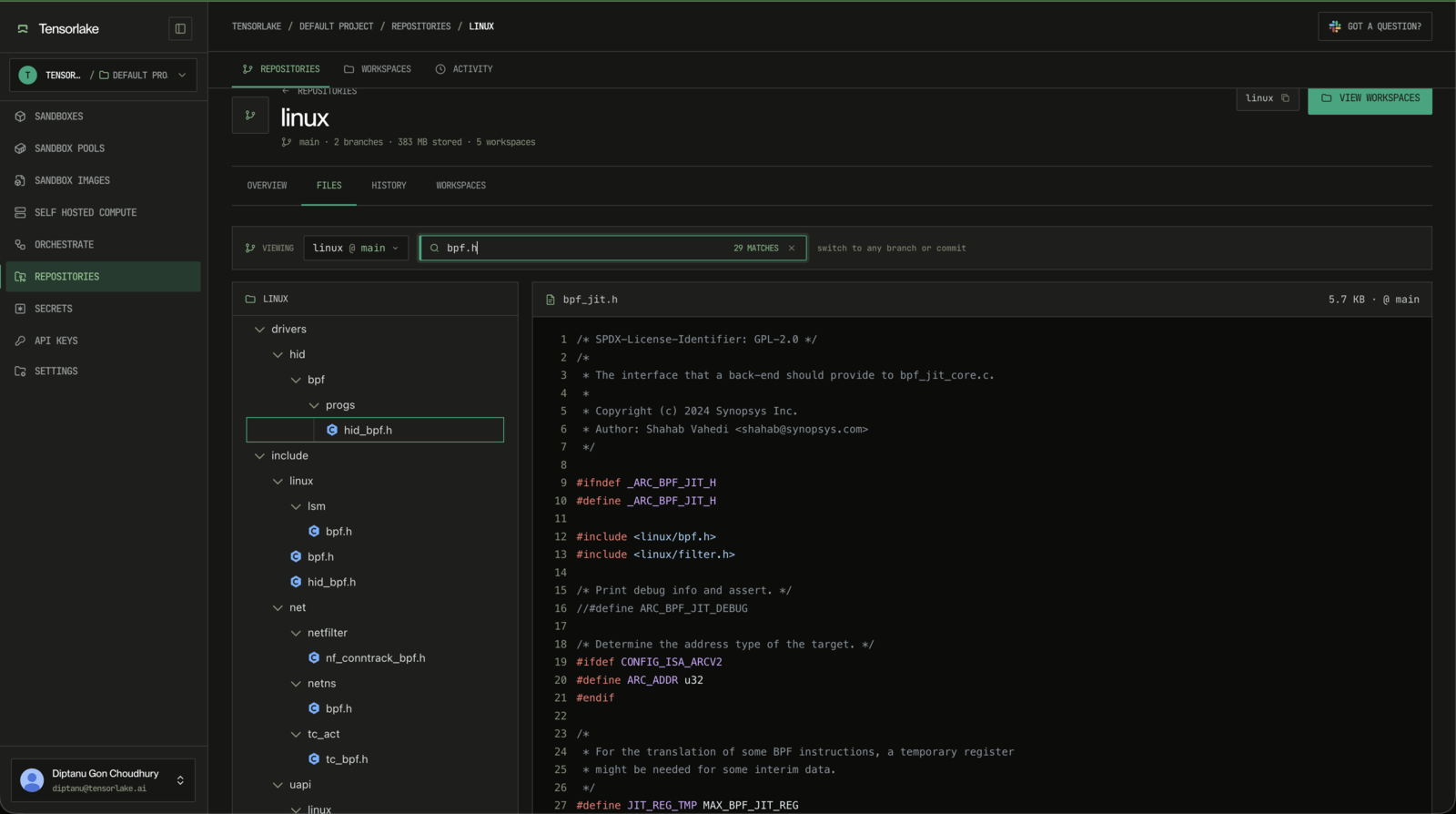
Versioned File Systems are Git repositories that mount as ordinary directories. Agents can read and write files in a sandbox, snapshot their work, and publish finished changes back to a branch.
The repository stays the source of truth. After promotion, future agents that use the branch and Git users who clone or fetch it get the published version.
Use versioned file systems when applications need a fast directory interface, but your product still needs Git history, branches, and reproducible versions.
 ## Quickstart
Install the Tensorlake CLI and sign in:
```bash theme={null}
curl -fsSL https://tensorlake.ai/install | sh
tl login
```
Then create a repository, mount it, write a file, snapshot the change, and promote it to `main`.
```bash theme={null}
$ tl git create agent-outputs --default-branch main
created https://git.tensorlake.ai/project_9f3c2a1b/agent-outputs
```
The repository is an ordinary Git remote. You can use it through `tl fs` mounts or through plain `git`.
```bash theme={null}
$ tl fs mount agent-outputs:main /work
Mounted agent-outputs:main at /work (workspace 3f9a2b7e1c4d)
```
`/work` is now an ordinary writable directory. Changes stay isolated from `main` until you promote them.
```bash theme={null}
$ echo "# Parser Notes" > /work/NOTES.md
$ tl fs snapshot /work -m "add notes"
Snapshot 8b21f6a9c3d5e7f1a2b4c6d8e0f3a5b7c9d1e3f5 (1 file(s), 1 of 1 chunks uploaded)
```
A snapshot is a commit on the workspace. It is private until promotion.
```bash theme={null}
$ tl fs promote /work main -m "add notes"
Promoted workspace 3f9a2b7e1c4d -> main at 1c4d9a2f7e5b3d8c6a4f2e0d9b7c5a3f1e8d6b4c (squashed)
```
After promotion, `main` contains the notes. New agents that mount `agent-outputs:main`, and anyone who clones or fetches the repository, get those files. Agents with following read-only mounts pick up the update automatically. The activity history shows who published it and which workspace it came from.
## Mental Model
The workflow is:
1. A **repository** stores the durable Git history.
2. A **workspace** gives an agent a private writable view of that repository.
3. A **mount** exposes the workspace as a directory, such as `/work`.
4. A **snapshot** checkpoints the mounted files.
5. **Promotion** publishes a snapshot to a branch so future agents and Git users can use that version.
See [Core Concepts](/filesystems/core-concepts) for short definitions of each term.
## What Tensorlake Provides
* **Plain Git repositories**: clone, branch, commit, merge, push, and fetch over Git smart HTTP.
* **Writable workspaces**: isolated agent workspaces that survive sandbox restarts and can be reattached.
* **Snapshots**: incremental checkpoints that record a workspace's file state as Git commits.
* **Promotion**: publish workspace snapshots as Git commits on shared branches, with conflict handling and activity attribution.
* **Read-only mounts**: serve a fixed commit or follow a branch across many running sandboxes.
## Use Cases
Roll out manuals, skills, configs, and tools to many agents with versioned read-only mounts.
Store generated apps, docs, and assets with snapshots, promotion, and activity history.
## Where To Go Next
Learn the vocabulary: repositories, workspaces, mounts, snapshots, promotion, and mount modes.
Choose between writable, read-only, pinned, and following mounts.
Mount, snapshot, and promote agent work.
Use Tensorlake repositories with ordinary Git commands.
Create repositories, push worktrees, and merge branches from Python or TypeScript.
## Quickstart
Install the Tensorlake CLI and sign in:
```bash theme={null}
curl -fsSL https://tensorlake.ai/install | sh
tl login
```
Then create a repository, mount it, write a file, snapshot the change, and promote it to `main`.
```bash theme={null}
$ tl git create agent-outputs --default-branch main
created https://git.tensorlake.ai/project_9f3c2a1b/agent-outputs
```
The repository is an ordinary Git remote. You can use it through `tl fs` mounts or through plain `git`.
```bash theme={null}
$ tl fs mount agent-outputs:main /work
Mounted agent-outputs:main at /work (workspace 3f9a2b7e1c4d)
```
`/work` is now an ordinary writable directory. Changes stay isolated from `main` until you promote them.
```bash theme={null}
$ echo "# Parser Notes" > /work/NOTES.md
$ tl fs snapshot /work -m "add notes"
Snapshot 8b21f6a9c3d5e7f1a2b4c6d8e0f3a5b7c9d1e3f5 (1 file(s), 1 of 1 chunks uploaded)
```
A snapshot is a commit on the workspace. It is private until promotion.
```bash theme={null}
$ tl fs promote /work main -m "add notes"
Promoted workspace 3f9a2b7e1c4d -> main at 1c4d9a2f7e5b3d8c6a4f2e0d9b7c5a3f1e8d6b4c (squashed)
```
After promotion, `main` contains the notes. New agents that mount `agent-outputs:main`, and anyone who clones or fetches the repository, get those files. Agents with following read-only mounts pick up the update automatically. The activity history shows who published it and which workspace it came from.
## Mental Model
The workflow is:
1. A **repository** stores the durable Git history.
2. A **workspace** gives an agent a private writable view of that repository.
3. A **mount** exposes the workspace as a directory, such as `/work`.
4. A **snapshot** checkpoints the mounted files.
5. **Promotion** publishes a snapshot to a branch so future agents and Git users can use that version.
See [Core Concepts](/filesystems/core-concepts) for short definitions of each term.
## What Tensorlake Provides
* **Plain Git repositories**: clone, branch, commit, merge, push, and fetch over Git smart HTTP.
* **Writable workspaces**: isolated agent workspaces that survive sandbox restarts and can be reattached.
* **Snapshots**: incremental checkpoints that record a workspace's file state as Git commits.
* **Promotion**: publish workspace snapshots as Git commits on shared branches, with conflict handling and activity attribution.
* **Read-only mounts**: serve a fixed commit or follow a branch across many running sandboxes.
## Use Cases
Roll out manuals, skills, configs, and tools to many agents with versioned read-only mounts.
Store generated apps, docs, and assets with snapshots, promotion, and activity history.
## Where To Go Next
Learn the vocabulary: repositories, workspaces, mounts, snapshots, promotion, and mount modes.
Choose between writable, read-only, pinned, and following mounts.
Mount, snapshot, and promote agent work.
Use Tensorlake repositories with ordinary Git commands.
Create repositories, push worktrees, and merge branches from Python or TypeScript.